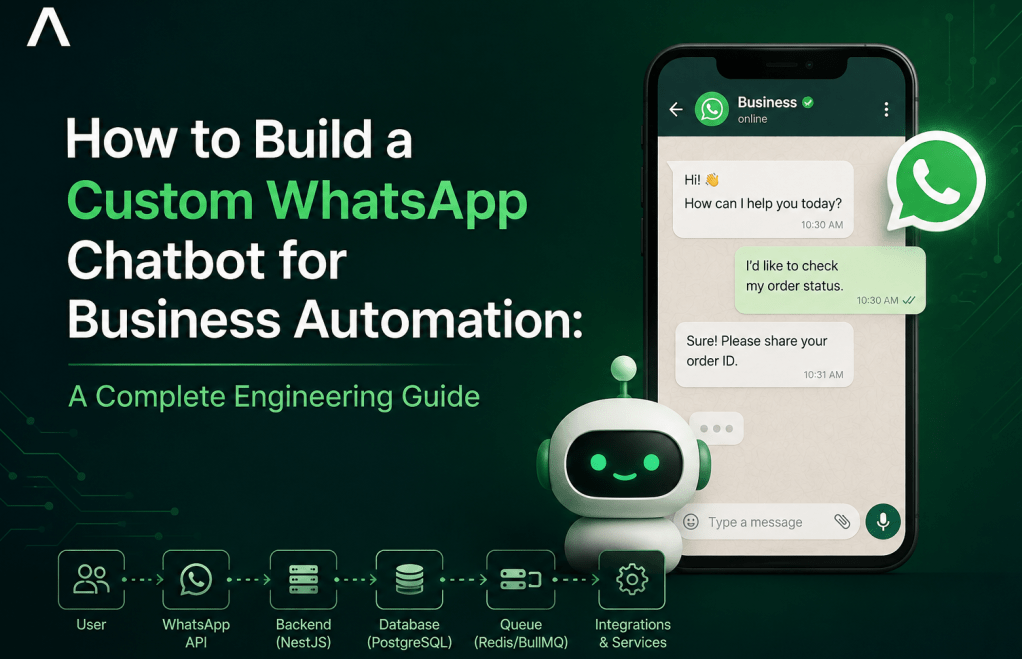
Businesses have never had more opportunities to connect with customers, yet few communication channels are as immediate and widely adopted as WhatsApp. Whether customers want to ask about a product, confirm an order, schedule an appointment, or request support, many expect an instant response regardless of the time of day.
For many businesses, however, these conversations are still managed manually. Employees repeatedly answer the same questions, sales enquiries wait for office hours, customer support becomes overwhelmed during busy periods, and valuable leads are lost simply because no one replied quickly enough.
This challenge becomes even more apparent as a business grows. Hiring additional customer service staff increases operating costs, while relying solely on manual processes limits how quickly the business can scale.
This is where a custom WhatsApp chatbot becomes valuable.
Unlike basic autoresponders or drag-and-drop chatbot builders, a custom WhatsApp chatbot is designed around your business processes. It can qualify leads, retrieve customer information, create support tickets, process orders, schedule appointments, communicate with your CRM and ERP, trigger payment requests, and even leverage artificial intelligence to provide intelligent responses—all while remaining available around the clock.
More importantly, a custom chatbot is not just another messaging tool. It becomes an automation layer connecting your customers with the systems that already run your business.
In this guide, you’ll learn:
- Why businesses are investing in WhatsApp automation
- What makes a custom chatbot different from no-code alternatives
- How production-grade WhatsApp chatbots are architected
- How AI, CRM, ERP, and payment systems fit into the solution
- What technologies are commonly used
- How to determine whether custom development is the right investment for your business
Whether you’re an operations manager looking to reduce repetitive work, an e-commerce business seeking to automate customer interactions, or a business owner evaluating digital transformation initiatives, this guide will help you make an informed decision.
Why Businesses Are Moving Beyond Manual WhatsApp Conversations
WhatsApp has evolved from a personal messaging application into one of the primary communication channels between businesses and customers. Prospective buyers ask product questions, existing customers seek support, and returning clients expect fast updates—all through a familiar messaging interface.
For small businesses handling only a handful of conversations each day, responding manually may seem manageable. However, as customer volume increases, manual communication quickly becomes one of the largest operational bottlenecks.
Every repetitive response consumes employee time. Every delayed reply increases the likelihood that a customer will purchase from a competitor. Every missed conversation represents potential revenue that may never be recovered.
The problem is rarely WhatsApp itself. The problem is expecting people to perform repetitive processes that software can execute more efficiently.
Modern businesses are therefore shifting from manual conversations toward automated workflows that improve speed, consistency, and scalability without sacrificing customer experience.
Common Challenges Businesses Face
Many businesses experience similar operational issues regardless of their industry.
Repetitive Customer Questions
Customers frequently ask the same questions:
- What is the price?
- Is the item available?
- Where is my order?
- What are your business hours?
- How can I make payment?
When employees answer these questions hundreds of times each week, valuable time is spent on repetitive work instead of higher-value activities.
Slow Response Times
Customers increasingly expect immediate responses. When enquiries remain unanswered for several hours—or even until the next business day—sales opportunities are often lost.
For businesses competing in crowded markets, response speed can become a competitive advantage.
Limited Availability
Manual customer support generally operates only during working hours.
Customers, however, may send enquiries late at night, during weekends, or on public holidays. Without automation, these conversations remain unattended until staff become available.
Human Error and Inconsistent Responses
Different employees may provide different answers to identical questions. Information becomes inconsistent, processes vary between team members, and customer experience suffers.
Automation helps standardize responses while ensuring every customer receives accurate and consistent information.
Difficulty Scaling Operations
As conversation volume grows, businesses typically respond by hiring additional support staff.
Although this increases capacity, it also raises operational costs while introducing new management challenges.
Scaling purely through people becomes increasingly inefficient compared to automating repetitive workflows.
Where Automation Creates Business Value
Business automation is not about replacing people—it is about allowing people to focus on work that requires judgment, creativity, and relationship building.
A custom WhatsApp chatbot can automate repetitive processes while seamlessly handing more complex conversations to human agents when necessary.
For example, a customer enquiry can automatically progress through a workflow such as:
- Customer sends a message.
- The chatbot identifies the customer’s intent.
- Product information is retrieved from internal systems.
- Frequently asked questions are answered instantly.
- Qualified leads are forwarded to the sales team.
- Complex enquiries are transferred to a human representative with complete conversation history.
This approach delivers measurable business benefits, including:
- Faster customer response times
- Increased lead conversion
- Reduced support workload
- Lower operational costs
- Consistent customer experiences
- Improved data collection
- Better visibility into customer interactions
- The ability to serve more customers without proportionally increasing staffing costs
Instead of functioning as a simple messaging assistant, a custom WhatsApp chatbot becomes part of the company’s operational infrastructure—connecting customers directly to the systems that power sales, support, operations, and business intelligence.
This shift from reactive messaging to automated business workflows is why organizations across industries are investing in custom chatbot solutions rather than relying solely on manual conversations.
What Is a Custom WhatsApp Chatbot?
When many people hear the term WhatsApp chatbot, they imagine a simple automated assistant that replies with predefined messages such as “Press 1 for Sales” or “Thank you for contacting us. We’ll respond shortly.”
While those are indeed forms of automation, they represent only a small fraction of what modern business automation can achieve.
A custom WhatsApp chatbot is a software application built specifically around an organization’s business processes. Instead of simply sending automated replies, it communicates with business systems, executes workflows, makes decisions based on business rules, and provides customers with personalized, real-time experiences.
Unlike generic chatbot builders that offer fixed templates and limited customization, a custom chatbot is designed to fit your business—not the other way around.
For example, instead of responding with static information, a custom chatbot can:
- Retrieve a customer’s previous orders.
- Check product inventory in real time.
- Generate quotations.
- Verify payments.
- Schedule appointments.
- Open support tickets.
- Assign leads to sales representatives.
- Notify internal teams.
- Update CRM records automatically.
- Use AI to answer complex customer questions.
Rather than existing as an isolated messaging tool, the chatbot becomes an extension of your business operations.
WhatsApp Business App vs WhatsApp Business API
One of the biggest misconceptions is that every WhatsApp business account has the same capabilities.
In reality, Meta provides different products for different business needs.
| Capability | WhatsApp Business App | WhatsApp Business API | Custom WhatsApp Chatbot |
|---|---|---|---|
| Manual messaging | ✅ | ✅ | ✅ |
| Quick replies | ✅ | ✅ | ✅ |
| Multi-user support | Limited | ✅ | ✅ |
| Automated workflows | Limited | ✅ | ✅ |
| CRM integration | ❌ | ✅ | ✅ |
| ERP integration | ❌ | ✅ | ✅ |
| Payment workflow integration | ❌ | ✅ | ✅ |
| AI integration | ❌ | Possible | Fully customizable |
| Custom business logic | ❌ | Limited | ✅ |
| Scalability | Low | High | Enterprise-grade |
WhatsApp Business App
The WhatsApp Business App is designed primarily for small businesses managing relatively low conversation volumes.
It includes features such as:
- Business profile
- Greeting messages
- Away messages
- Quick replies
- Product catalogue
- Labels
These features are useful for getting started but become restrictive as customer interactions and operational complexity grow.
WhatsApp Business API
The WhatsApp Business API is intended for organizations that need to automate conversations at scale.
Rather than being a standalone application, the API allows developers to connect WhatsApp with backend systems, databases, CRMs, payment gateways, AI services, and internal business applications.
The API itself does not provide a chatbot.
Instead, it provides the communication channel upon which developers build custom automation.
This distinction is important:
The API enables automation. Your software defines the automation.
No-Code vs Custom Development
Many businesses begin their automation journey with no-code chatbot builders, and for good reason.
These platforms allow users to create conversation flows through visual interfaces without writing code.
For businesses with straightforward requirements, they can be an effective starting point.
Typical no-code capabilities include:
- Frequently asked questions
- Welcome messages
- Basic conversation trees
- Lead capture forms
- Appointment scheduling
- Simple routing rules
However, as business requirements evolve, limitations often become apparent.
For example, imagine an e-commerce business that wants its chatbot to:
- Check inventory before confirming availability.
- Calculate delivery fees based on customer location.
- Apply promotional discounts.
- Verify payment status.
- Update the CRM.
- Generate invoices.
- Notify warehouse staff.
- Trigger shipment creation.
- Escalate VIP customers automatically.
These processes involve multiple business systems, conditional logic, authentication, external APIs, and real-time data processing—capabilities that generally exceed what drag-and-drop builders are designed to handle.
A custom solution removes these limitations because the software is engineered around your workflows rather than constrained by a predefined platform.
Why Businesses Choose Custom Development
Organizations typically invest in custom chatbot development when automation becomes a strategic business initiative rather than a convenience feature.
Custom development offers several long-term advantages:
- Business workflows tailored to your operations.
- Seamless integration with existing software.
- Complete ownership of business logic.
- Greater flexibility as requirements evolve.
- Enhanced security and compliance controls.
- Better scalability for increasing conversation volumes.
- Freedom to adopt new technologies such as AI without rebuilding the entire system.
Most importantly, custom engineering allows the chatbot to automate complete business processes instead of merely responding to messages.
For example, a customer’s request to “track my order” can initiate an end-to-end workflow:
- Authenticate the customer.
- Retrieve order details from the database.
- Query the logistics provider.
- Determine the shipment status.
- Generate a personalized response.
- Log the interaction in the CRM.
- Notify a support agent if an exception occurs.
To the customer, this appears to be a simple WhatsApp conversation.
Behind the scenes, multiple systems work together in real time to deliver an accurate response.
This ability to orchestrate business processes—not simply automate conversations—is what distinguishes a production-grade custom WhatsApp chatbot from template-based chatbot solutions.
Business Automation Opportunities
One of the biggest misconceptions about WhatsApp chatbots is that they exist solely to answer customer questions. In reality, messaging is only the interface—the real value lies in the business processes happening behind the scenes.
A well-designed custom WhatsApp chatbot acts as an automation engine that connects customers, employees, and business systems into a single workflow.
Instead of performing isolated tasks, it orchestrates multiple actions automatically. A single customer message can trigger inventory checks, payment verification, CRM updates, appointment scheduling, support ticket creation, or internal notifications without requiring manual intervention.
This transforms WhatsApp from a communication channel into a business operations platform.
Below are some of the highest-value automation opportunities organizations can implement.
Sales and Lead Generation
For many businesses, the sales team spends a significant portion of each day answering repetitive questions before they can determine whether a prospect is actually qualified.
A custom WhatsApp chatbot automates this initial engagement while ensuring every lead receives an immediate response.
Rather than asking every prospect the same questions manually, the chatbot can collect essential information through a guided conversation.
Typical lead qualification workflow:
- Customer initiates a conversation.
- The chatbot identifies the product or service of interest.
- Qualification questions are presented automatically.
- Customer responses are validated.
- Lead information is stored in the CRM.
- High-value prospects are assigned to a sales representative.
- Sales staff receive instant notifications.
- Follow-up reminders are scheduled automatically.
This approach provides several benefits:
- Every enquiry receives an immediate response.
- Sales representatives focus only on qualified prospects.
- Customer information is captured consistently.
- Manual data entry is eliminated.
- Lead leakage caused by delayed responses is reduced.
For businesses that rely heavily on inbound enquiries, faster qualification often translates directly into improved conversion rates.
Customer Support
Customer support teams frequently spend much of their time answering the same questions repeatedly.
Examples include:
- Where is my order?
- How do I reset my password?
- What are your opening hours?
- How can I request a refund?
- What documents do I need?
These enquiries are important, but they rarely require human judgment.
A custom chatbot can resolve many of these requests instantly while allowing support agents to focus on more complex issues.
A typical support workflow may look like this:
- Customer sends a support request.
- The chatbot identifies the intent.
- Customer identity is verified.
- Relevant information is retrieved from internal systems.
- The appropriate response is generated.
- If necessary, the conversation is transferred to a human agent together with the conversation history.
Because the chatbot has access to business systems, it can provide personalized responses rather than generic answers.
For example, instead of saying:
“Please wait while an agent checks your order.”
It can respond with:
“Your order was dispatched yesterday and is expected to arrive on Thursday. Here is your tracking number…”
This creates a significantly better customer experience while reducing the workload placed on support teams.
Operations and Internal Workflows
The value of automation extends beyond customer-facing conversations.
Many organizations use WhatsApp internally to coordinate operational activities between departments, field staff, suppliers, and management.
A custom chatbot can automate internal workflows such as:
- Employee leave requests.
- Field inspection reporting.
- Incident reporting.
- Maintenance requests.
- Inventory updates.
- Internal approvals.
- Daily reporting.
- Staff onboarding.
Consider a field technician visiting a customer site.
Instead of returning to the office to submit paperwork, the technician could simply send information through WhatsApp.
The chatbot could then:
- Validate submitted data.
- Upload photographs.
- Record GPS location.
- Create service reports.
- Notify supervisors.
- Update operational dashboards.
- Generate invoices where appropriate.
The technician continues using a familiar messaging application while multiple business systems update automatically in the background.
Order Tracking and Fulfilment
Order status enquiries are among the most common customer support requests for retail and e-commerce businesses.
Rather than requiring staff to manually search for order information, a chatbot can retrieve updates directly from order management or logistics systems.
A typical order tracking workflow includes:
- Customer provides an order number.
- The chatbot verifies ownership.
- Order details are retrieved.
- Shipment status is requested from the courier.
- Delivery information is presented instantly.
- Exceptions are escalated automatically if required.
This reduces customer waiting time while significantly lowering support volume.
Appointment Booking and Scheduling
Service-based businesses—including healthcare providers, legal practices, consultants, salons, and repair services—can automate appointment scheduling without requiring staff to manage calendars manually.
A custom chatbot can:
- Display available time slots.
- Reserve appointments.
- Send confirmations.
- Issue reminders.
- Handle cancellations.
- Offer rescheduling options.
- Synchronize with internal calendar systems.
Because scheduling is integrated directly into business systems, double bookings and scheduling conflicts are greatly reduced.
Payment Confirmation and Financial Workflows
Another valuable automation opportunity involves payment processing.
Rather than requiring customers to send payment receipts for manual verification, a chatbot can integrate with payment providers to automate the process.
A payment workflow may include:
- Customer selects a product or service.
- The chatbot generates a payment request.
- Payment is completed through an integrated gateway.
- The payment status is verified automatically.
- The order is confirmed.
- Inventory is updated.
- An invoice or receipt is generated.
- Internal teams receive fulfilment notifications.
Automating these steps reduces delays, minimizes manual reconciliation, and improves the overall customer experience.
Bringing It All Together
The true strength of a custom WhatsApp chatbot is not that it sends messages—it is that it coordinates business processes.
Instead of automating isolated conversations, it automates complete workflows that span sales, customer support, operations, logistics, finance, and management.
As more systems become connected, the chatbot evolves from a simple communication tool into a digital operations hub capable of executing business processes with speed, consistency, and accuracy.
In the next section, we’ll explore the engineering behind these capabilities and examine how a production-ready custom WhatsApp chatbot is architected to deliver reliable, scalable automation.
How a Custom WhatsApp Chatbot Works
From a customer’s perspective, interacting with a WhatsApp chatbot appears simple—they send a message and receive a response.
Behind that seemingly straightforward conversation, however, is a distributed software system responsible for receiving messages, understanding requests, applying business rules, communicating with multiple external services, and returning accurate responses in real time.
Understanding this architecture is important because the quality of a chatbot depends far more on its engineering than on the conversation itself.
A production-ready WhatsApp chatbot is not a single application. It is a collection of services working together to provide secure, reliable, and scalable business automation.
High-Level Architecture
At a high level, a custom WhatsApp chatbot consists of several interconnected components.
Customer │ ▼WhatsApp │ ▼WhatsApp Business API │ ▼Webhook Receiver │ ▼Backend Application │ ┌───┼─────────────────────────────┐ │ │ │ │ ▼ ▼ ▼ ▼Database AI Service CRM/ERP │ │ ▼ ▼Payments Internal Systems
Each component has a clearly defined responsibility.
Rather than combining every function into one large application, modern chatbot systems separate concerns so they remain easier to maintain, scale, and extend.
Core Components
Every production-grade chatbot is built around a few essential building blocks.
1. WhatsApp Business Platform
This is the communication channel between customers and your software.
When someone sends a WhatsApp message, Meta forwards that message to your application through secure APIs.
Likewise, every reply sent by your chatbot is transmitted back to the customer through the same platform.
The platform itself does not decide what to say.
Its responsibility is simply delivering messages securely between your customers and your backend application.
2. Webhook Receiver
The webhook receiver is the chatbot’s entry point.
Whenever a customer sends a message, Meta immediately sends an event (known as a webhook) to your server.
The webhook typically contains information such as:
- Customer phone number
- Message content
- Timestamp
- Message type
- Media attachments
- Conversation identifiers
The webhook validates the request, ensures it originated from Meta, and forwards it to the backend application for processing.
Think of the webhook as the receptionist who receives incoming requests before directing them to the appropriate department.
3. Backend Application
The backend is the brain of the chatbot.
This is where business rules are implemented.
Instead of simply replying with predefined messages, the backend decides what actions should occur based on the customer’s request.
For example, if a customer asks:
“Where is my order?”
The backend might:
- Verify the customer’s identity.
- Retrieve recent orders.
- Contact the logistics provider.
- Retrieve shipment information.
- Format the response.
- Record the interaction.
- Return the final message to WhatsApp.
Every business has unique processes.
Because these rules live inside the backend application, the chatbot can be tailored to virtually any workflow.
4. Database
Most chatbot conversations depend on business data.
The database stores information such as:
- Customer profiles
- Conversation history
- Orders
- Products
- Appointments
- Tickets
- Business configuration
- Workflow state
Without persistent storage, the chatbot would have no memory of previous interactions.
The database enables personalized conversations and allows automation to continue even after long periods of inactivity.
5. External Integrations
Few businesses operate using a single software system.
Instead, organizations rely on CRMs, ERPs, payment gateways, inventory platforms, accounting software, logistics providers, and marketing tools.
The chatbot integrates with these systems using APIs.
This allows a single WhatsApp conversation to retrieve information from multiple business applications simultaneously.
Typical Customer Request Lifecycle
Every customer message follows a predictable lifecycle.
Understanding this flow helps illustrate why custom engineering is essential.
Imagine a customer sends the following message:
“I’d like to know whether my order has been shipped.”
A production chatbot may perform the following sequence:
Step 1: Message Reception
The customer sends a WhatsApp message.
Meta receives the message and forwards it to your webhook.
Step 2: Validation
Your application validates:
- Request authenticity
- Security signatures
- Message format
- Conversation identifiers
Only legitimate requests proceed further.
Step 3: Intent Detection
The backend determines what the customer wants.
Possible intents include:
- Order tracking
- Product enquiry
- Appointment booking
- Payment confirmation
- Customer support
This may be achieved through business rules, AI models, or a combination of both.
Step 4: Business Logic
Once the customer’s intent is understood, the backend determines the appropriate workflow.
In this example, it might:
- Search the order database.
- Verify ownership.
- Request shipping updates.
- Check delivery estimates.
- Retrieve courier information.
Step 5: Integration Calls
The backend communicates with external services such as:
- CRM
- ERP
- Payment gateway
- Inventory management
- Shipping providers
Each system contributes part of the information required to generate the final response.
Step 6: Response Generation
Once all required information has been collected, the chatbot constructs a personalized response.
Rather than saying:
“An agent will contact you soon.”
It can provide:
“Your order was shipped yesterday via DHL. The expected delivery date is Friday. Your tracking number is XXXXX.”
The customer receives immediate, accurate information without waiting for a support representative.
Step 7: Logging and Analytics
Before completing the request, the backend typically records:
- Customer interaction
- Processing time
- Errors
- Business metrics
- AI confidence scores
- Workflow completion
This data becomes valuable for reporting, optimization, and future improvements.
Choosing the Right Technology Stack
One of the most common questions businesses ask is:
“What technology should we use to build a chatbot?”
There is no universally correct answer.
The best technology stack depends on business goals, expected traffic, existing infrastructure, team expertise, and long-term maintenance requirements.
That said, many production systems share common architectural patterns.
Backend Framework
The backend should provide:
- API development
- Authentication
- Business logic
- Workflow orchestration
- Background processing
Popular backend technologies include:
- Node.js
- NestJS
- Express
- Java Spring Boot
- ASP.NET Core
- Python FastAPI
The framework itself is less important than designing clean, maintainable software architecture.
Database
Relational databases are commonly used for transactional business data.
Typical choices include:
- PostgreSQL
- MySQL
- Microsoft SQL Server
Some workloads may also benefit from document databases or specialized storage depending on application requirements.
Cache and Messaging
As conversation volume grows, performance becomes increasingly important.
Technologies such as Redis can:
- Cache frequently accessed data.
- Store temporary conversation state.
- Improve response times.
- Reduce database load.
For large-scale systems, message queues allow workloads to be processed asynchronously.
Examples include:
- RabbitMQ
- Apache Kafka
- Amazon SQS
These technologies help prevent bottlenecks during periods of high traffic.
AI Services
Artificial intelligence is increasingly integrated into chatbot solutions.
Instead of replacing business logic, AI enhances it.
AI can assist with:
- Natural language understanding
- Summarizing conversations
- Generating responses
- Knowledge retrieval
- Intent classification
- Sentiment analysis
Business rules continue to govern critical operations such as payments, approvals, and compliance.
This combination of deterministic workflows and AI-driven understanding produces systems that are both reliable and flexible.
Why Architecture Matters
Many chatbot projects begin with enthusiasm but become difficult to maintain because little attention was paid to architecture.
A chatbot that performs well for a few hundred conversations each month may struggle when handling thousands of simultaneous users if scalability was not considered from the outset.
Good architecture provides several long-term advantages:
- Easier maintenance
- Better reliability
- Improved security
- Faster feature development
- Simpler integrations
- Greater scalability
- Lower long-term operating costs
Rather than continuously patching limitations, businesses with well-designed architectures can expand their chatbot capabilities as their operations grow.
In the next section, we’ll examine how these chatbot systems integrate with CRMs, ERPs, payment gateways, AI platforms, and other business software to automate complete end-to-end workflows.
Integrating Business Systems
A WhatsApp chatbot becomes truly valuable when it extends beyond messaging and begins interacting with the software that already powers your business.
Many organizations already use multiple applications to manage different parts of their operations. Customer information may live in a CRM, inventory in an ERP, payments in a payment gateway, appointments in a scheduling platform, and support requests in a helpdesk system.
Without integration, employees often spend their day copying information from one system to another.
A customer places an order on WhatsApp.
An employee records it in the CRM.
Someone else creates an invoice.
Another staff member updates inventory.
A support representative later searches multiple systems just to answer a simple customer question.
This manual movement of information slows operations, introduces errors, and increases operational costs.
A custom WhatsApp chatbot eliminates much of this repetitive work by acting as an orchestration layer between customers and business systems.
Instead of employees moving information between applications, the chatbot coordinates those interactions automatically.
Why System Integration Matters
Every customer interaction generates business data.
If that data remains isolated inside WhatsApp conversations, the business loses valuable operational insight.
Integration ensures every conversation becomes part of a larger business process.
For example, when a customer sends:
“I’d like a quotation for 50 office chairs.”
A fully integrated chatbot can:
- Identify the customer.
- Retrieve previous purchase history.
- Check product availability.
- Calculate pricing.
- Apply customer-specific discounts.
- Generate a quotation.
- Save the opportunity in the CRM.
- Notify the assigned salesperson.
- Schedule a follow-up reminder.
To the customer, it appears as a simple WhatsApp conversation.
Behind the scenes, multiple business systems have worked together automatically.
CRM Integration
Customer Relationship Management (CRM) systems help organizations manage leads, customers, opportunities, sales pipelines, and communication history.
Without CRM integration, sales representatives often spend valuable time manually entering customer information collected during WhatsApp conversations.
A custom chatbot removes this duplication.
Instead of requiring staff to update records manually, customer information is synchronized automatically.
Typical CRM integration capabilities include:
- Creating new leads.
- Updating customer profiles.
- Recording conversation history.
- Assigning leads to sales representatives.
- Tracking customer interactions.
- Scheduling follow-up activities.
- Updating opportunity stages.
- Recording sales outcomes.
Example CRM Workflow
Imagine a potential customer contacts your business asking about accounting software.
A custom chatbot can:
- Collect the customer’s name.
- Capture contact information.
- Ask qualifying questions.
- Determine company size.
- Record business requirements.
- Store all information in the CRM.
- Assign the lead to the appropriate salesperson.
- Notify the sales team immediately.
By the time the salesperson joins the conversation, they already understand the customer’s needs.
This results in shorter sales cycles and more productive conversations.
ERP Integration
Enterprise Resource Planning (ERP) systems manage operational processes such as inventory, procurement, manufacturing, accounting, and logistics.
Connecting a chatbot to an ERP allows customers to receive real-time information directly from operational systems.
Examples include:
- Product availability.
- Inventory quantities.
- Delivery estimates.
- Manufacturing status.
- Purchase order updates.
- Service requests.
- Supplier information.
Rather than asking employees to check internal systems manually, the chatbot retrieves this information automatically.
Example ERP Workflow
A customer asks:
“Is this product currently in stock?”
The chatbot can:
- Search the ERP inventory.
- Check warehouse availability.
- Verify reserved stock.
- Estimate replenishment dates.
- Present accurate availability.
- Offer suitable alternatives if necessary.
The response is immediate, accurate, and based on live operational data.
Payment Gateway Integration
Payment is often one of the most critical stages of a customer’s journey.
Manual payment confirmation introduces unnecessary delays and increases the likelihood of human error.
Custom chatbot integration with payment providers streamlines the entire transaction process.
A typical payment workflow includes:
- Customer confirms an order.
- The chatbot calculates the final amount.
- A payment request or secure payment link is generated.
- The customer completes payment.
- The payment gateway confirms the transaction.
- The chatbot verifies the payment automatically.
- The order status is updated.
- Inventory is adjusted.
- The customer receives confirmation.
- Internal fulfilment teams are notified.
This eliminates the need for customers to send payment receipts for manual verification.
It also enables businesses to fulfil orders more quickly while reducing administrative overhead.
AI Integration
Artificial intelligence has significantly expanded what chatbots can accomplish.
Traditional chatbots rely on predefined conversation flows.
AI-powered chatbots, however, can understand natural language, interpret context, and generate responses dynamically.
That said, AI should not replace business systems—it should enhance them.
The most effective chatbot architectures combine deterministic business logic with AI capabilities.
For example:
- AI interprets what the customer is asking.
- Business rules determine what actions are allowed.
- Backend systems execute those actions.
- AI presents the results in natural language.
This hybrid approach ensures operational accuracy while delivering a conversational user experience.
Practical AI Use Cases
AI can assist with:
- Understanding customer intent.
- Summarizing long conversations.
- Translating messages.
- Drafting personalized responses.
- Answering knowledge-base questions.
- Recommending products.
- Classifying support requests.
- Identifying customer sentiment.
However, sensitive actions—such as processing payments, approving refunds, modifying customer records, or granting discounts—should remain governed by explicit business rules rather than AI-generated decisions.
Connecting Multiple Systems in a Single Workflow
The greatest advantage of a custom chatbot is its ability to coordinate several systems simultaneously.
Consider the following customer journey:
- A customer requests a product recommendation.
- AI analyzes the request and identifies suitable products.
- The ERP confirms inventory availability.
- The CRM retrieves previous purchases.
- A personalized offer is generated.
- A payment link is created.
- Payment is verified automatically.
- The order is recorded.
- The warehouse receives fulfilment instructions.
- The logistics provider receives shipping information.
- The customer receives order confirmation and tracking details.
Although the customer experiences a single WhatsApp conversation, the chatbot has coordinated multiple business systems in real time.
This orchestration dramatically reduces manual effort while improving speed, consistency, and customer satisfaction.
Designing Integrations for Scalability
As businesses grow, the number of integrated systems often increases.
A chatbot that initially communicates with a CRM may later need to integrate with:
- ERP platforms.
- Accounting software.
- Marketing automation tools.
- Warehouse management systems.
- Identity providers.
- Shipping carriers.
- Analytics platforms.
- Internal approval systems.
For this reason, integrations should be designed using well-defined APIs, modular services, and loosely coupled architectures.
Instead of embedding all integration logic directly inside the chatbot, modern engineering practices isolate each integration into dedicated services.
This makes future enhancements easier while reducing the impact of changes to any individual system.
The Real Business Value of Integration
Many organizations initially view WhatsApp chatbots as customer support tools.
In reality, messaging is only the visible interface.
The true value comes from connecting conversations with the systems that run the business.
When customer interactions automatically update CRMs, synchronize with ERPs, verify payments, trigger workflows, and leverage AI for intelligent assistance, the chatbot evolves from a messaging application into a central automation platform.
This level of integration enables businesses to serve more customers, reduce repetitive work, improve operational accuracy, and scale without increasing administrative complexity.
In the next section, we’ll explore what it takes to move from a working chatbot to a production-ready system, including deployment strategies, monitoring, security, compliance, and operational best practices.
Building for Production
Many chatbot projects begin with a successful proof of concept. The chatbot can answer frequently asked questions, retrieve information from a database, and even integrate with one or two business systems.
Unfortunately, a proof of concept is very different from a production-ready business application.
A chatbot that performs well during internal testing may struggle once hundreds—or thousands—of customers begin interacting with it simultaneously. Slow response times, failed API calls, downtime, duplicate messages, security vulnerabilities, and poor monitoring can quickly turn a promising solution into an operational liability.
Building for production means designing the chatbot to remain reliable, secure, maintainable, and scalable under real business conditions.
Instead of asking, “Does it work?” engineering teams begin asking:
- Will it still work during peak traffic?
- What happens if a third-party service becomes unavailable?
- How quickly can failures be detected?
- Can the system recover automatically?
- How easily can new features be added?
- Is customer data adequately protected?
Answering these questions separates production-grade systems from experimental prototypes.
Deployment Considerations
Deployment is more than uploading code to a server.
A production deployment strategy ensures that updates can be delivered safely while minimizing downtime and business disruption.
A typical deployment pipeline includes:
- Developers commit code changes.
- Automated tests validate functionality.
- Continuous Integration (CI) builds the application.
- Deployment packages are created.
- Applications are deployed to staging environments.
- Final verification is completed.
- Changes are promoted to production.
- Monitoring confirms system health.
Automating this pipeline reduces manual errors and makes releases more predictable.
Hosting Infrastructure
The hosting environment should align with expected business growth.
Common deployment options include:
- Cloud virtual machines.
- Containerized environments using Docker.
- Kubernetes clusters for large-scale deployments.
- Managed cloud platforms.
Regardless of the hosting model, production environments should provide:
- High availability.
- Secure networking.
- Automated backups.
- Disaster recovery procedures.
- Horizontal scalability.
- Infrastructure monitoring.
The objective is not simply to keep the chatbot online, but to ensure it remains dependable even as demand increases.
Monitoring and Logging
Once a chatbot is deployed, visibility becomes essential.
Without monitoring, businesses often discover problems only after customers report them.
A production chatbot should continuously monitor both technical performance and business operations.
Technical Monitoring
Engineering teams typically track metrics such as:
- API response times.
- Server resource utilization.
- Database performance.
- Queue lengths.
- Error rates.
- Failed integrations.
- System uptime.
- Webhook processing times.
Monitoring these indicators helps identify issues before they affect customers.
Business Monitoring
Operational metrics are equally important.
Examples include:
- Number of daily conversations.
- Lead conversion rates.
- Customer satisfaction scores.
- Average response time.
- Successful payment transactions.
- Escalation frequency.
- AI resolution rates.
- Workflow completion rates.
These measurements help organizations evaluate whether automation is delivering meaningful business outcomes.
Logging
Logs provide a historical record of system activity.
When investigating an issue, detailed logs allow engineers to understand:
- Which customer initiated the request.
- Which APIs were called.
- How long processing required.
- Which services responded.
- Where failures occurred.
- Whether retries were attempted.
Well-structured logging significantly reduces troubleshooting time and simplifies incident resolution.
Security Considerations
A custom WhatsApp chatbot often processes sensitive customer information, making security a core architectural requirement rather than an optional enhancement.
Potential data handled by the chatbot may include:
- Customer names.
- Phone numbers.
- Email addresses.
- Order history.
- Payment references.
- Support conversations.
- Internal business information.
Protecting this information requires a layered security approach.
Authentication and Authorization
Not every request should have access to every resource.
Production systems should verify both the identity of the caller and their permissions before performing sensitive operations.
Examples include:
- Viewing customer records.
- Processing refunds.
- Cancelling orders.
- Accessing administrative functions.
Authorization ensures users can perform only the actions permitted for their role.
Secure API Communication
Every integration with external systems should use encrypted communication channels.
API credentials should never be hardcoded into applications or exposed in source code repositories.
Instead, sensitive configuration should be managed securely through environment variables or dedicated secrets management solutions.
This reduces the risk of credential leakage and unauthorized access.
Data Protection
Businesses should collect only the information required to deliver the intended service.
Production systems should also implement:
- Encryption in transit.
- Encryption at rest where appropriate.
- Secure credential storage.
- Regular security updates.
- Access auditing.
- Data retention policies.
These practices help reduce operational risk while supporting compliance with applicable privacy and data protection regulations.
Compliance Considerations
Beyond technical security, organizations must ensure that their chatbot complies with the policies governing both the messaging platform and the jurisdictions in which they operate.
Areas that typically require attention include:
- Customer consent.
- Message templates where required.
- Data privacy obligations.
- Record retention.
- Marketing communication rules.
- Industry-specific regulations.
Compliance should be considered during system design rather than after deployment.
Retrofitting compliance into an existing system is often significantly more expensive than building it correctly from the outset.
Preparing for Failure
No production system is immune to unexpected failures.
External APIs may become unavailable.
Cloud providers may experience outages.
Network interruptions can occur.
Unexpected software defects may appear after deployment.
Production engineering assumes that failures will occur and designs systems to recover gracefully.
Examples include:
- Retrying temporary failures.
- Queueing requests during service outages.
- Falling back to alternative workflows.
- Alerting engineering teams automatically.
- Preserving customer conversations for later processing.
Rather than allowing one failed API call to disrupt an entire workflow, resilient systems isolate failures and continue operating wherever possible.
Production Readiness Checklist
Before deploying a custom WhatsApp chatbot to production, organizations should verify that the following capabilities are in place:
- Secure authentication and authorization.
- Verified webhook security.
- Comprehensive API error handling.
- Automated testing.
- Monitoring dashboards.
- Centralized logging.
- Backup and recovery procedures.
- Scalable infrastructure.
- Reliable deployment pipeline.
- Performance testing.
- Data protection controls.
- Regulatory compliance review.
- Incident response procedures.
- Documentation for maintenance and operations.
This checklist provides a strong foundation for delivering a chatbot that remains dependable as the business grows.
Thinking Beyond Launch
Launching a chatbot is not the end of the project—it marks the beginning of an ongoing improvement cycle.
Customer expectations evolve, business processes change, and new integration opportunities emerge over time.
Production-ready systems are designed with this evolution in mind.
Regular maintenance activities typically include:
- Reviewing operational metrics.
- Optimizing conversation flows.
- Expanding integrations.
- Updating AI prompts and knowledge sources.
- Improving system performance.
- Applying security patches.
- Refining business workflows based on customer feedback.
Organizations that continuously improve their chatbot often achieve greater long-term value than those that treat deployment as a one-time initiative.
In the next section, we’ll bring everything together by exploring how to determine whether a custom WhatsApp chatbot is the right investment for your business and when simpler no-code solutions may still be the better choice.
Choosing the Right Solution for Your Business
By now, you’ve seen what’s possible with a custom WhatsApp chatbot—from automating customer support and sales to integrating with CRMs, ERPs, payment gateways, and AI services.
The next question is a practical one:
Should your business invest in a custom WhatsApp chatbot, or would a simpler no-code solution be sufficient?
The answer depends less on your company size and more on your business processes, growth plans, and operational complexity.
Not every business needs custom software immediately. Likewise, not every business can achieve its goals with a drag-and-drop chatbot builder.
Making the right decision requires evaluating both your current needs and where your business is heading over the next few years.
When No-Code Is Enough
No-code chatbot platforms have become increasingly capable and can provide significant value for businesses with relatively straightforward requirements.
If your primary objective is to automate simple conversations without integrating deeply with existing systems, a no-code solution may be the most cost-effective option.
Typical use cases include:
- Greeting new customers.
- Answering frequently asked questions.
- Displaying business hours.
- Sharing product catalogs.
- Collecting basic lead information.
- Routing conversations to the appropriate department.
- Scheduling appointments through third-party tools.
For startups, small retailers, local service providers, or businesses validating a new idea, these platforms offer a fast way to begin automating customer interactions.
Advantages of No-Code Platforms
- Faster implementation.
- Lower upfront investment.
- Minimal technical expertise required.
- Visual workflow builders.
- Suitable for basic automation.
- Easy for non-technical staff to manage.
These advantages make no-code tools an excellent starting point for organizations with simple operational needs.
Common Limitations
As businesses grow, however, they often encounter limitations such as:
- Restricted customization.
- Limited business logic.
- Basic reporting capabilities.
- Difficulty integrating with proprietary systems.
- Vendor-imposed feature constraints.
- Scaling challenges for complex workflows.
- Dependence on the platform provider’s roadmap.
Eventually, businesses may find themselves adapting their operations to fit the software instead of using software that supports their operations.
When Custom Development Is the Better Investment
Custom development becomes valuable when WhatsApp is no longer just another communication channel—it becomes part of your core business operations.
If customer conversations initiate sales, trigger operational workflows, or require interaction with multiple systems, custom engineering provides the flexibility and control needed to automate those processes effectively.
A custom WhatsApp chatbot is often the better choice when your business needs to:
- Integrate with CRM, ERP, accounting, or inventory systems.
- Automate multi-step approval workflows.
- Process high volumes of customer conversations.
- Provide personalized responses using real-time business data.
- Implement AI-powered customer interactions.
- Support multiple departments through a single platform.
- Enforce organization-specific business rules.
- Scale without being constrained by third-party platform limitations.
Rather than simply automating conversations, custom software automates the work that happens after those conversations.
Decision Framework
The following comparison can help determine which approach best aligns with your business requirements.
| Business Requirement | No-Code Platform | Custom WhatsApp Chatbot |
|---|---|---|
| FAQ automation | ✅ Excellent | ✅ Excellent |
| Welcome messages | ✅ | ✅ |
| Simple lead capture | ✅ | ✅ |
| Appointment booking | ✅ | ✅ |
| CRM integration | Limited | ✅ Full control |
| ERP integration | Rarely | ✅ |
| Inventory synchronization | Limited | ✅ |
| Payment automation | Limited | ✅ |
| AI-powered workflows | Basic | ✅ Advanced |
| Custom business logic | Limited | ✅ |
| Proprietary system integration | Rarely | ✅ |
| High conversation volume | Platform dependent | ✅ Designed to scale |
| Complete ownership | ❌ | ✅ |
The more requirements your business has in the right-hand column, the stronger the case for investing in custom development.
Questions to Ask Before Investing
Before deciding on any chatbot solution, business leaders should evaluate their operational requirements rather than focusing solely on features.
Ask yourself:
1. What business problem are we solving?
Are you simply answering common questions, or are you trying to automate complete business workflows?
The answer will influence the level of customization required.
2. Which systems must the chatbot connect to?
Make a list of the software your chatbot needs to interact with.
Examples include:
- CRM.
- ERP.
- Payment gateways.
- Accounting software.
- Inventory management.
- Shipping providers.
- Internal databases.
- Identity providers.
The more integrations required, the more valuable custom development becomes.
3. How much growth do we expect?
Your chatbot should support not only today’s requirements but also tomorrow’s.
Consider questions such as:
- Will customer conversations increase significantly?
- Will new departments use the chatbot?
- Will AI capabilities be introduced later?
- Will international markets be supported?
- Will additional software systems require integration?
Planning for growth early often reduces future redevelopment costs.
4. How important is flexibility?
Business processes evolve.
Products change.
Services expand.
New regulations emerge.
A custom solution allows the chatbot to evolve alongside the business rather than waiting for platform vendors to introduce the features you need.
Readiness Checklist
If you answer “Yes” to several of the following questions, your organization is likely a strong candidate for a custom WhatsApp chatbot.
- We receive a large volume of repetitive WhatsApp enquiries.
- Multiple employees perform the same manual tasks every day.
- We use a CRM or ERP that should integrate with WhatsApp.
- We process payments that could be automated.
- Customer response times directly affect revenue.
- We want to use AI responsibly within our workflows.
- We expect our business to grow significantly over the next few years.
- We require complete control over business logic and integrations.
- We want to own our automation rather than depend entirely on a third-party platform.
The more statements that apply to your organization, the stronger the business case for a custom-engineered solution.
Looking Beyond Initial Cost
A common concern when evaluating custom software is the initial investment.
While a no-code platform often has a lower upfront cost, decision-makers should also consider the total cost of ownership.
Questions worth asking include:
- How many hours of manual work could automation eliminate each week?
- How much revenue is lost because of delayed responses?
- What is the cost of duplicate data entry across multiple systems?
- How much time do employees spend switching between applications?
- Will a platform limitation require rebuilding the solution later?
For many growing businesses, the long-term operational savings and increased efficiency of a custom solution outweigh the higher initial implementation cost.
The objective is not simply to reduce expenses but to build a system that supports sustainable growth.
A Strategic Investment Rather Than a Software Purchase
Choosing a custom WhatsApp chatbot should not be viewed as buying another piece of software.
It is an investment in operational efficiency.
When designed correctly, a custom chatbot becomes part of your digital infrastructure—connecting customers, employees, and business systems through intelligent automation.
As your organization grows, new workflows, integrations, and AI capabilities can be added without replacing the underlying platform.
That flexibility is what makes custom engineering a long-term business asset rather than a short-term technology project.
The final section of this guide summarizes the key takeaways and explains the next steps if you’re considering implementing a custom WhatsApp chatbot for your organization.
Conclusion
WhatsApp has evolved far beyond a messaging application. For modern businesses, it has become one of the most important customer engagement channels—supporting sales, customer service, operations, and long-term relationship management.
However, the real competitive advantage doesn’t come from simply being available on WhatsApp. It comes from connecting WhatsApp to the systems that already run your business.
A custom WhatsApp chatbot is more than an automated responder. It is a business automation platform capable of:
- Qualifying leads automatically.
- Responding to customers 24/7.
- Integrating with CRM and ERP systems.
- Verifying payments.
- Automating operational workflows.
- Leveraging AI to improve customer interactions.
- Providing real-time business insights.
- Scaling alongside your organization.
Throughout this guide, we’ve explored the key components of a production-ready chatbot—from architecture and technology choices to system integrations, deployment, security, and operational best practices.
The most successful chatbot projects share one common characteristic: they are designed around business processes rather than technology alone.
Instead of asking:
“How can we automate WhatsApp?”
Successful organizations ask:
“Which business processes can WhatsApp automate?”
That shift in perspective transforms a chatbot from a customer support tool into an operational asset that delivers measurable business value.
Whether your goal is improving customer service, reducing repetitive work, increasing sales efficiency, or preparing your business for future growth, a well-engineered custom WhatsApp chatbot can become a central component of your digital transformation strategy.
Key Takeaways
If you remember only a few points from this guide, make them these:
- A custom WhatsApp chatbot is fundamentally different from a basic autoresponder.
- Business value comes from automation and integrations—not messaging alone.
- CRM, ERP, payment gateways, and AI should work together through a unified architecture.
- Production-ready systems require careful attention to scalability, monitoring, security, and compliance.
- The right solution depends on your business processes, growth plans, and operational complexity—not simply your company size.
For businesses with straightforward requirements, a no-code platform may provide everything needed.
For organizations seeking to automate complex workflows, integrate multiple business systems, or build a scalable digital infrastructure, custom engineering offers significantly greater flexibility and long-term value.
Ready to Build a Custom WhatsApp Chatbot?
Every business operates differently.
That’s why the most effective chatbot solutions are designed around your workflows—not forced into generic templates.
If you’re considering automating customer support, lead qualification, internal operations, or AI-powered business processes, working with an experienced engineering team can help you avoid costly redesigns and build a solution that scales with your business.
At Arbind Consult, we design and develop custom backend systems, AI-powered chatbots, and business automation solutions that integrate seamlessly with your existing technology stack.
Whether you need to:
- Build a new WhatsApp chatbot from the ground up,
- Integrate WhatsApp with your CRM or ERP,
- Add AI capabilities to existing workflows,
- Automate payment and order processing,
- Modernize legacy business operations,
- Or architect a scalable automation platform,
our team can help you design a solution tailored to your organization’s unique requirements.
Schedule a discovery session to discuss your automation goals and explore how a custom WhatsApp chatbot can improve efficiency, reduce manual work, and support sustainable business growth.
Frequently Asked Questions
Can I build a WhatsApp chatbot without coding?
Yes. Several no-code platforms allow businesses to create basic WhatsApp chatbots using visual workflow builders. These solutions are well suited for simple tasks such as FAQs, lead capture, and appointment scheduling. However, if your chatbot needs to integrate with internal systems, execute complex workflows, or support advanced AI capabilities, custom development is generally the better approach.
How much does a custom WhatsApp chatbot cost?
The cost depends on the project’s scope, including the number of integrations, AI capabilities, workflow complexity, security requirements, and deployment architecture. A chatbot that answers frequently asked questions is significantly less complex than one that integrates with CRM, ERP, payment gateways, logistics providers, and multiple internal systems. The most accurate way to estimate cost is through a technical discovery session.
How long does development take?
Implementation timelines vary according to project complexity. A relatively simple chatbot can often be delivered within a few weeks, while enterprise-grade automation platforms involving multiple integrations, AI services, and custom workflows may require several months of design, development, testing, and deployment.
Can a WhatsApp chatbot integrate with my CRM?
Yes. A custom chatbot can integrate with most CRM platforms that provide APIs. Common integrations include creating leads, updating customer records, assigning sales representatives, recording conversation history, and triggering follow-up activities automatically.
Is WhatsApp automation allowed by Meta?
Yes, provided businesses use the WhatsApp Business Platform appropriately and comply with Meta’s policies. Organizations should ensure that customer communications, message templates, opt-in requirements, and automation practices align with the platform’s current guidelines before deployment.
Can AI power WhatsApp conversations?
Absolutely. AI can help interpret customer intent, answer knowledge-based questions, summarize conversations, recommend products, and generate natural-language responses. However, critical business actions—such as payment processing, refunds, approvals, or regulatory decisions—should continue to be governed by explicit business rules rather than AI alone.
Do I need the WhatsApp Business API?
If you’re planning to build a scalable custom chatbot that integrates with business systems and automates workflows, then yes. The WhatsApp Business Platform provides the APIs needed for enterprise-grade messaging and serves as the foundation for custom chatbot development.
What industries benefit most from custom WhatsApp chatbots?
Organizations across many sectors can benefit, including:
- E-commerce and retail
- Healthcare
- Financial services
- Professional services
- Legal firms
- Logistics and transportation
- Education
- Hospitality
- Real estate
- Manufacturing
Any business that manages a high volume of customer conversations or repetitive operational tasks can benefit from intelligent WhatsApp automation.

